
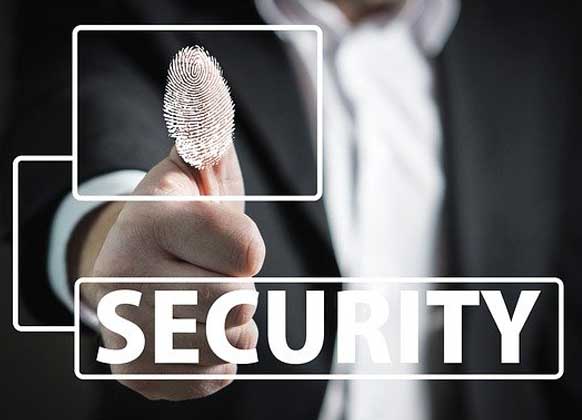

New research emphasises the urgent need to secure personal data as almost half of UK adults lack security software on their phones.
- Public Wi-Fi, though convenient, poses significant risks to data security due to potential hacker attacks.
- Disabling phone features not in use, such as Bluetooth and location services, can mitigate unauthorised data access.
- Download apps exclusively from official stores to avoid malware that could compromise personal information.
- Being mindful of app permissions is crucial to prevent unnecessary data exposure to potentially insecure apps.
In today’s digital age, ensuring the safety of personal data has become increasingly critical, highlighted by new insights revealing that nearly 49% of UK adults might not have adequate security measures on their phones. The consequences of data breaches are severe, enabling hackers to illegally access financial systems, apply for loans, or even withdraw funds under false pretences. Thus, safeguarding one’s data is paramount.
Public Wi-Fi networks, while useful for conserving mobile data, often lack the necessary security, making them a prime target for ‘man-in-the-middle’ attacks. During such attacks, hackers can intercept sensitive information like financial details and login credentials. It is advisable to avoid conducting mobile banking or purchases over these networks. If public Wi-Fi is necessary, using a Virtual Private Network (VPN) can encrypt data and shield it from unauthorised access.
Smartphone features such as Bluetooth, Wi-Fi, and location services, when activated, can make devices vulnerable to hackers by transmitting the device’s location. To minimise the risk, these features should be turned off when not required, ensuring the device is not visible to potential threats.
The allure of downloading apps from unofficial sources can lead to malware infestations, which may access personal data once installed. It is recommended that users download applications solely from official platforms like the App Store or Google Play, where apps are vetted for security.
App permissions can often exceed necessity, requesting access to various phone functions irrelevant to the app’s purpose. Users should scrutinise permissions asked by apps, ensuring that only necessary data access is granted—for instance, questioning why a photo editing app would need contact list permissions. Recent controversies, such as the backlash against TikTok over privacy concerns, highlight the importance of reviewing app permissions carefully.
Additionally, the practice of using auto-login features might offer convenience but exposes users to risks if devices are accessed by hackers. It is safer to memorise passwords or store them securely to prevent unwanted entry into personal accounts. In situations where a phone is lost or stolen, it’s crucial to report it to the network provider and potentially to the police to halt unauthorised usage. Leveraging features like the ‘kill switch’, which is available on most smartphones, can help protect data by remotely deactivating lost devices. Changing passwords of important accounts promptly further fortifies against potential security breaches.
Securing personal data with these strategies is essential to protect against evolving cyber threats.

